
Concept
New & Changed
How PTB marks plans that are new or changed since you last saw them.
A plan can be New, Changed, or Seen for you. This plan state is shared between the Feed and Map. Unread chat messages are separate.
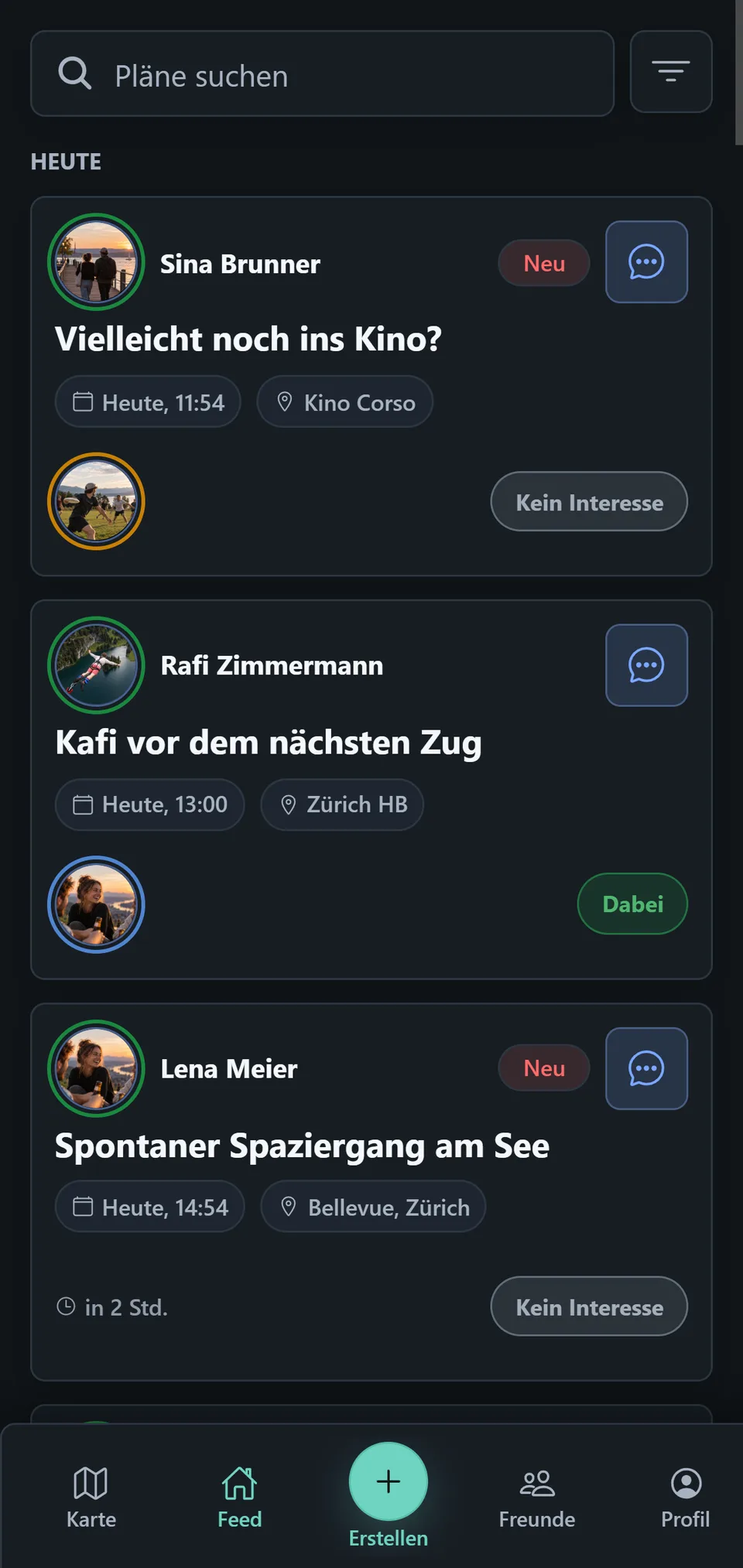
New
New appears when you have not yet seen a plan from another person. Your own plans do not receive this badge. It is not a timestamp and does not mean a plan was created in the last few hours.
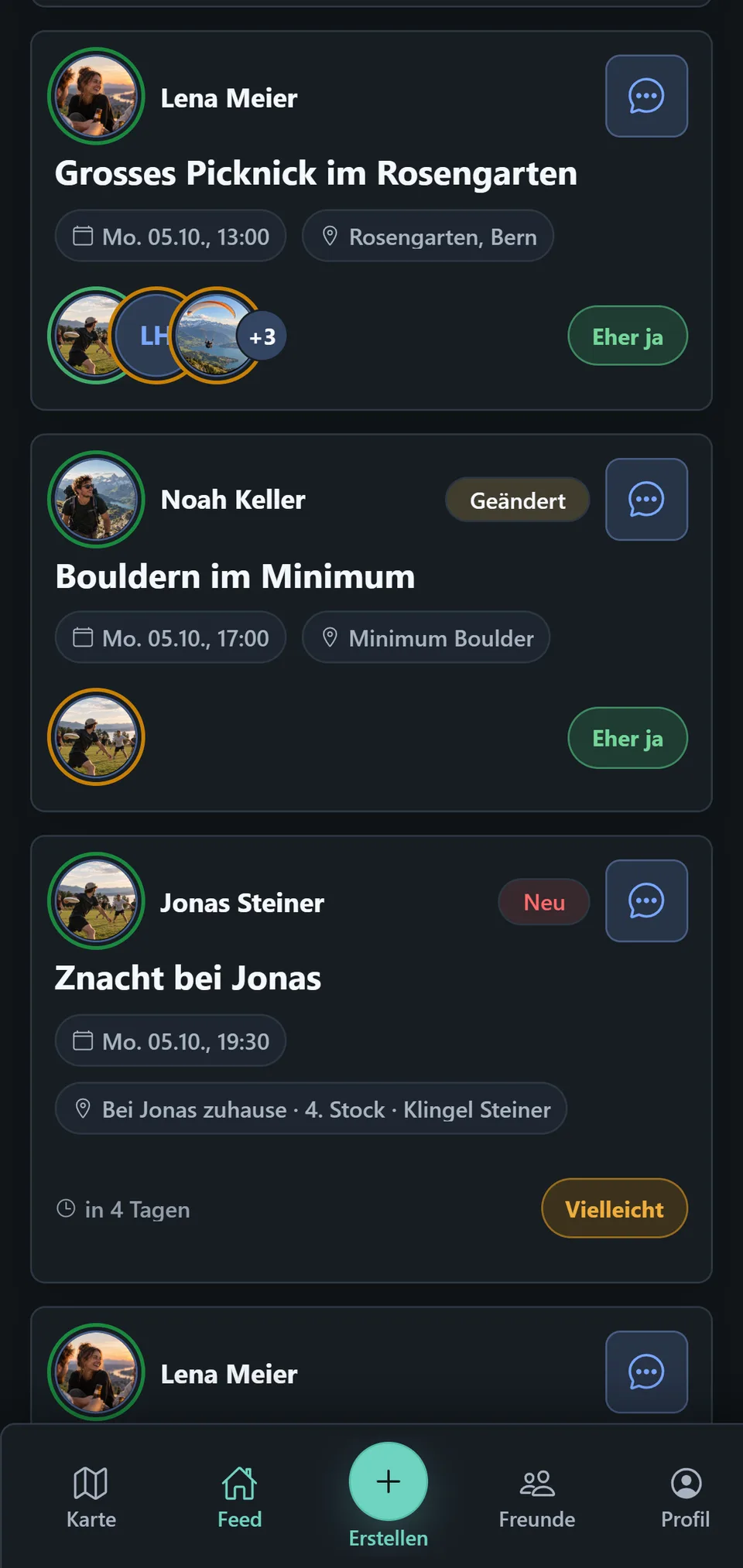
Changed
Changed appears when you have already seen a plan and a newer plan version relevant to you is available since your last view.
Where the state applies
The Feed and Map show the same plan state. If a plan is seen in the Feed, it is also seen on the Map. Open it on the Map, and its New or Changed state also disappears in the Feed. There is one shared state, not two counters.
How a plan becomes seen
In the Feed
In the active Feed, a card becomes seen once at least half of it is visible for about 800 milliseconds. A click is not required.
On the Map
New or changed plans are marked on the Map too. Open one there and it becomes seen. Because that state is shared with the Feed, its New or Changed state disappears there as well.
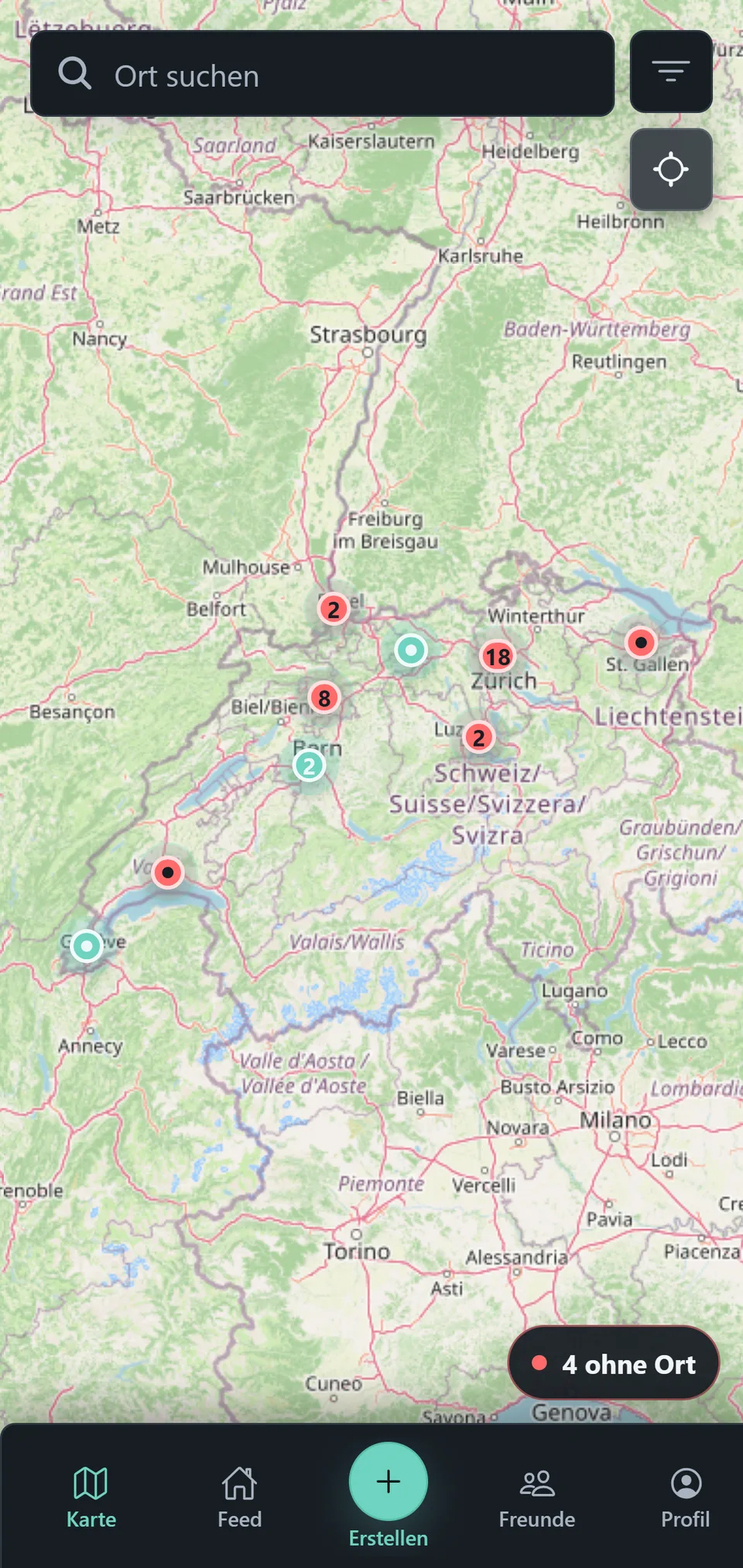
Red dots on the Map mark new or changed plans with a location. The red dot by No location instead points to new or changed plans without a location. Both markings belong to the shared plan state in the Feed and Map. They do not indicate unread chat messages.
Unread messages
Unread messages are marked separately. A red dot on a plan’s message icon means its chat still has unread messages. The dot disappears only after you open the plan and actually view the chat. It is unrelated to the red markers on the Map or by No location.
In short
A changed plan may have a read chat. A seen plan may still have unread chat messages.