
Concept
Soonness Indicator
A time-based summary of a person’s upcoming plans.
Six small bars next to each person show when they have something coming up: today, soon, at the weekend, or later. The bars show time periods, not progress.
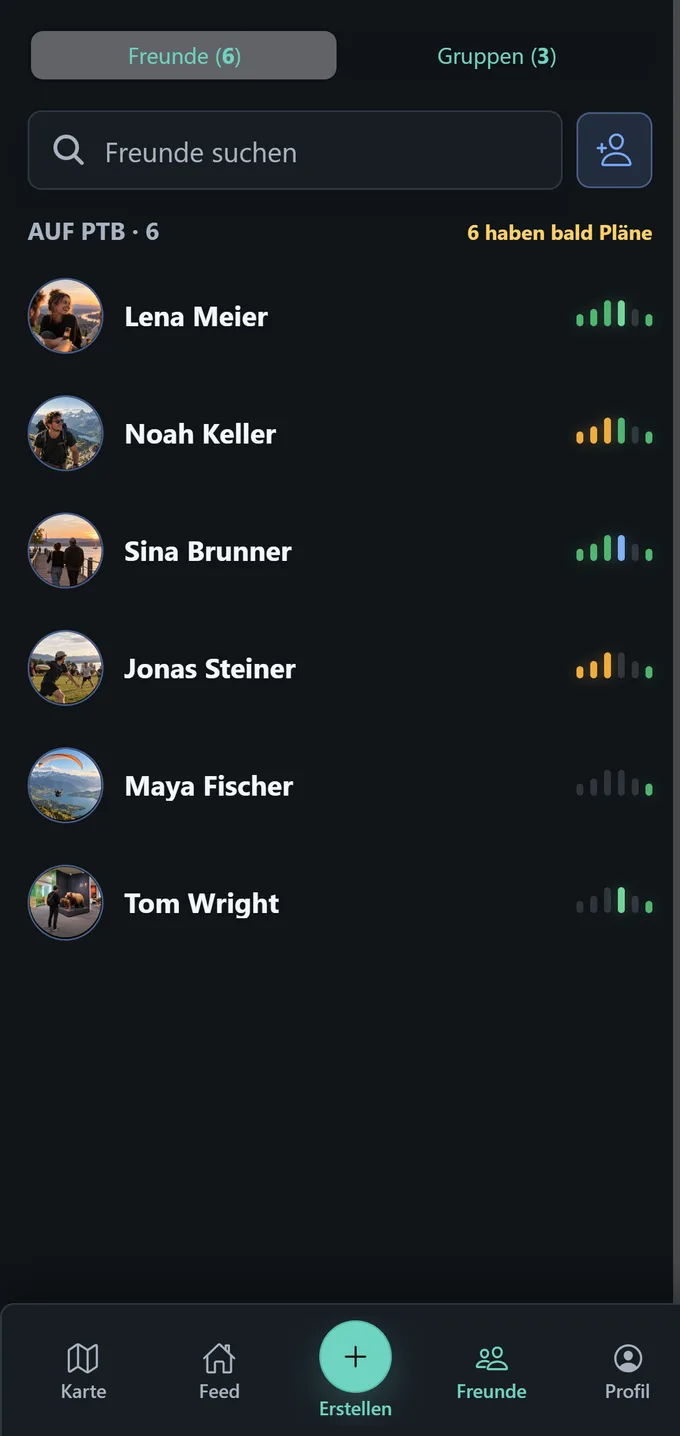
Position tells you when. Color tells you how likely.
How the indicator moves through the week
The six positions are not fixed calendar columns. Today always means the current day, while Soon summarises the upcoming weekdays. Friday, Saturday, and Sunday have their own positions. The planning view rolls forward on Sunday.
Why these six bars?
Weekdays are grouped
The weekdays through Thursday are grouped in the Soon bar. That keeps the indicator small and quick to scan.
The weekend has room
Friday, Saturday, and Sunday matter especially for spontaneous plans, so each has its own bar.
Later stays intentionally broad
For plans further away, one shared bar is enough. An exact date is not needed in this compact view.
Position = whenColor = how likely
Several bars can be active at once. Each position represents a time period, while the color shows the strongest matching signal.
Understand signals →Signal colors
- Interested
- Maybe
- Likely
- I'm in
Two plans on Saturday
MaybeI'm in
The strongest signal colors the bar.
Not interested
Not interestedWithout a relevant signal, the bars stay grey.
Also in Friends detail
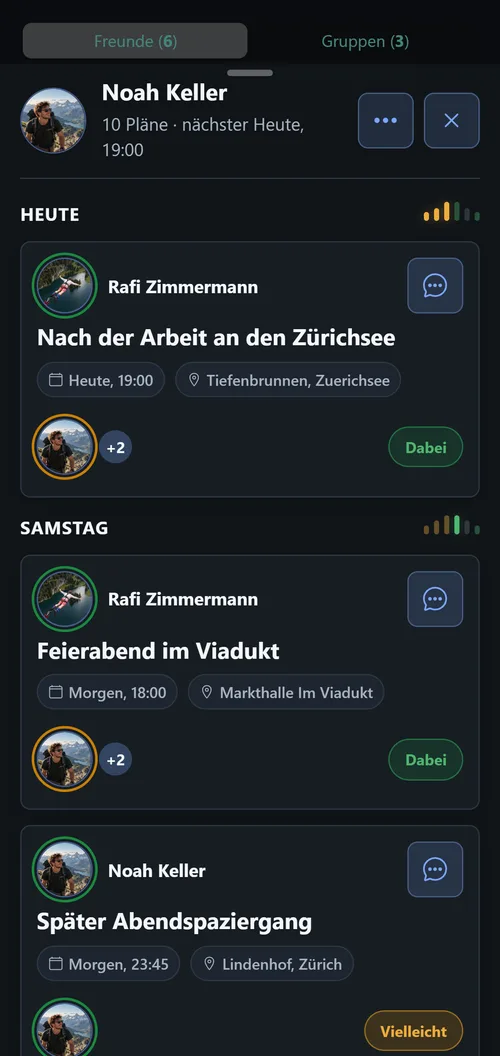
When you open a person, their plans are grouped by time period. The same indicator beside each section shows which bars belong to the plans below.